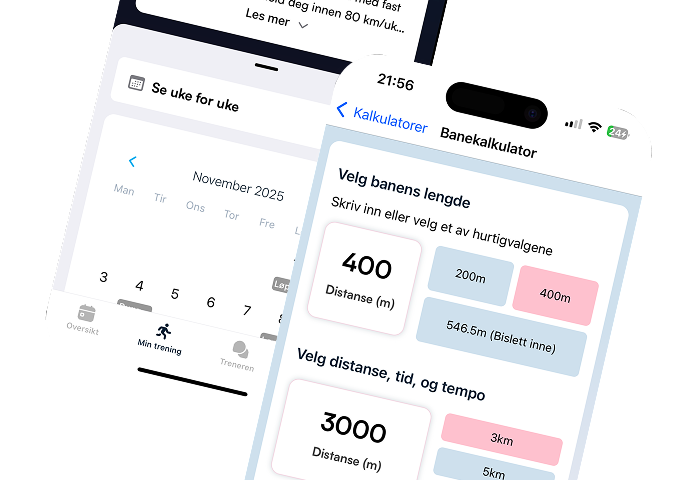
What's new in version 1.5: Edit your sessions
Fredrik Hasseleid
June 24, 2026Version 1.5 is our biggest update for planning and editing training sessions. You can now create, change and customize sessions directly in the app, without waiting for your coach to make the changes for you.
Here is everything you need to know about session editing.
Create new sessions
Tap + in the calendar to create a new session. Pick a day in the month calendar, then choose how you want to build the workout:

Describe session — write what you want to train and your coach builds the session for you
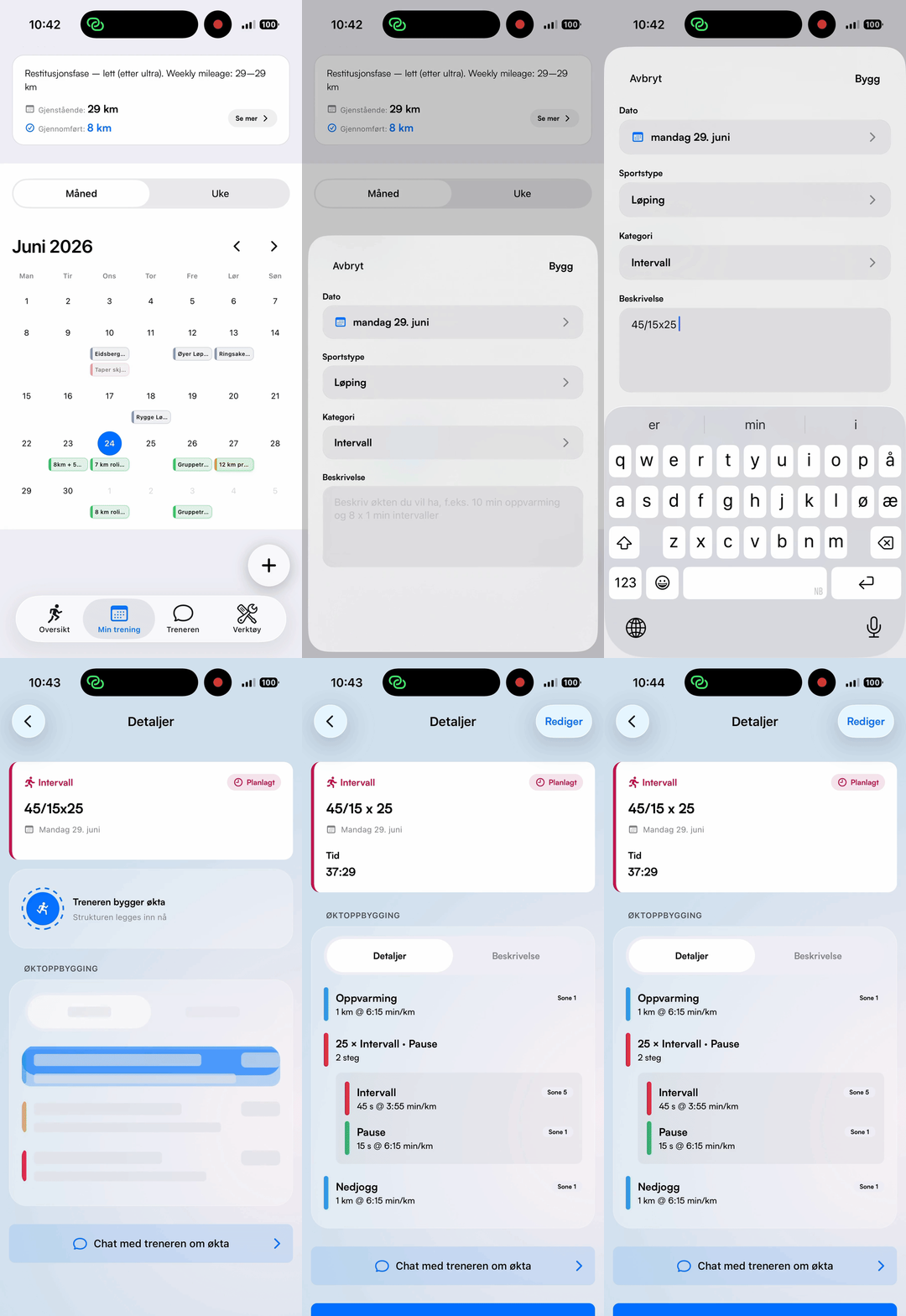
Build manually — add steps yourself in the new session editor
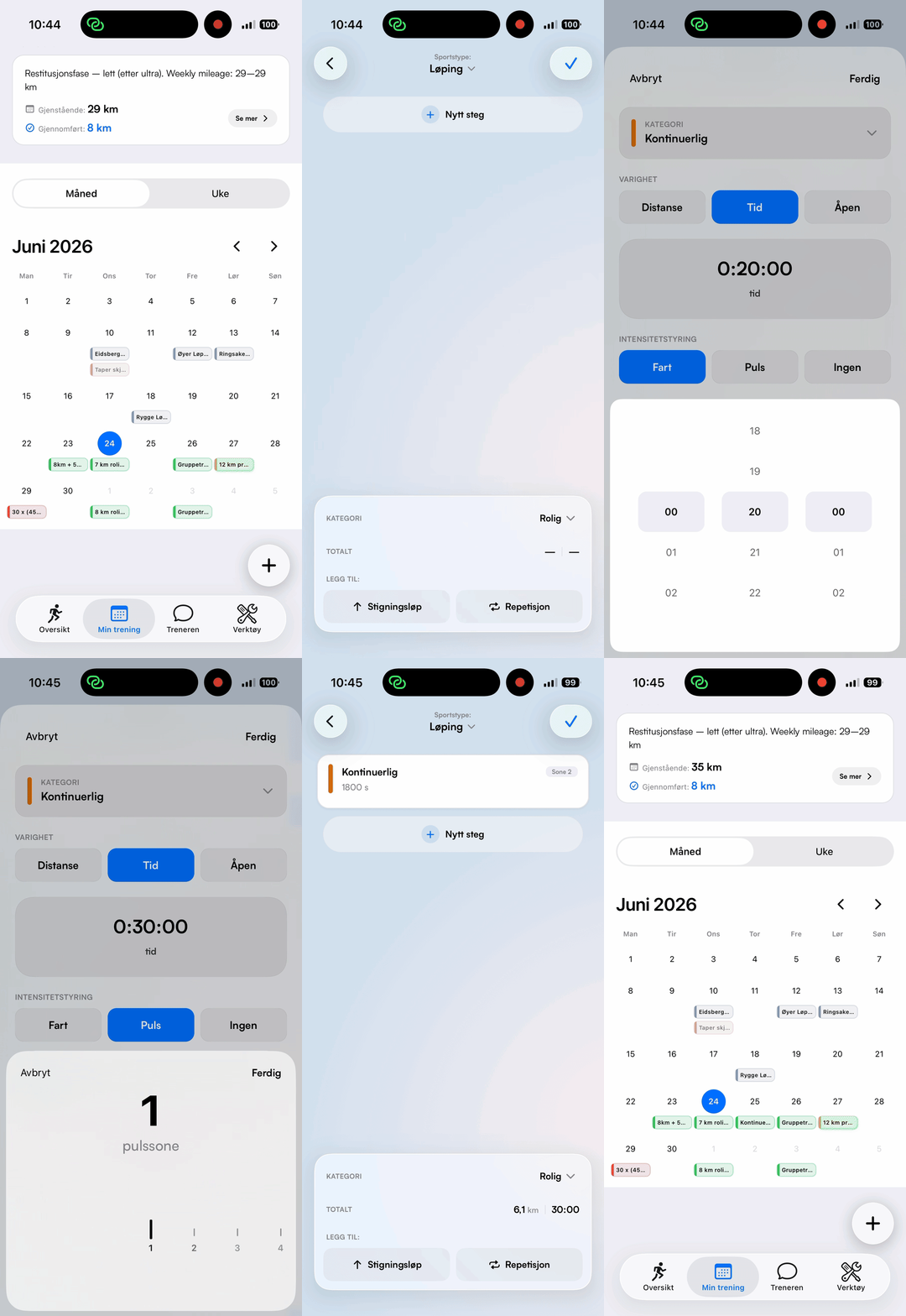
Edit content in existing sessions

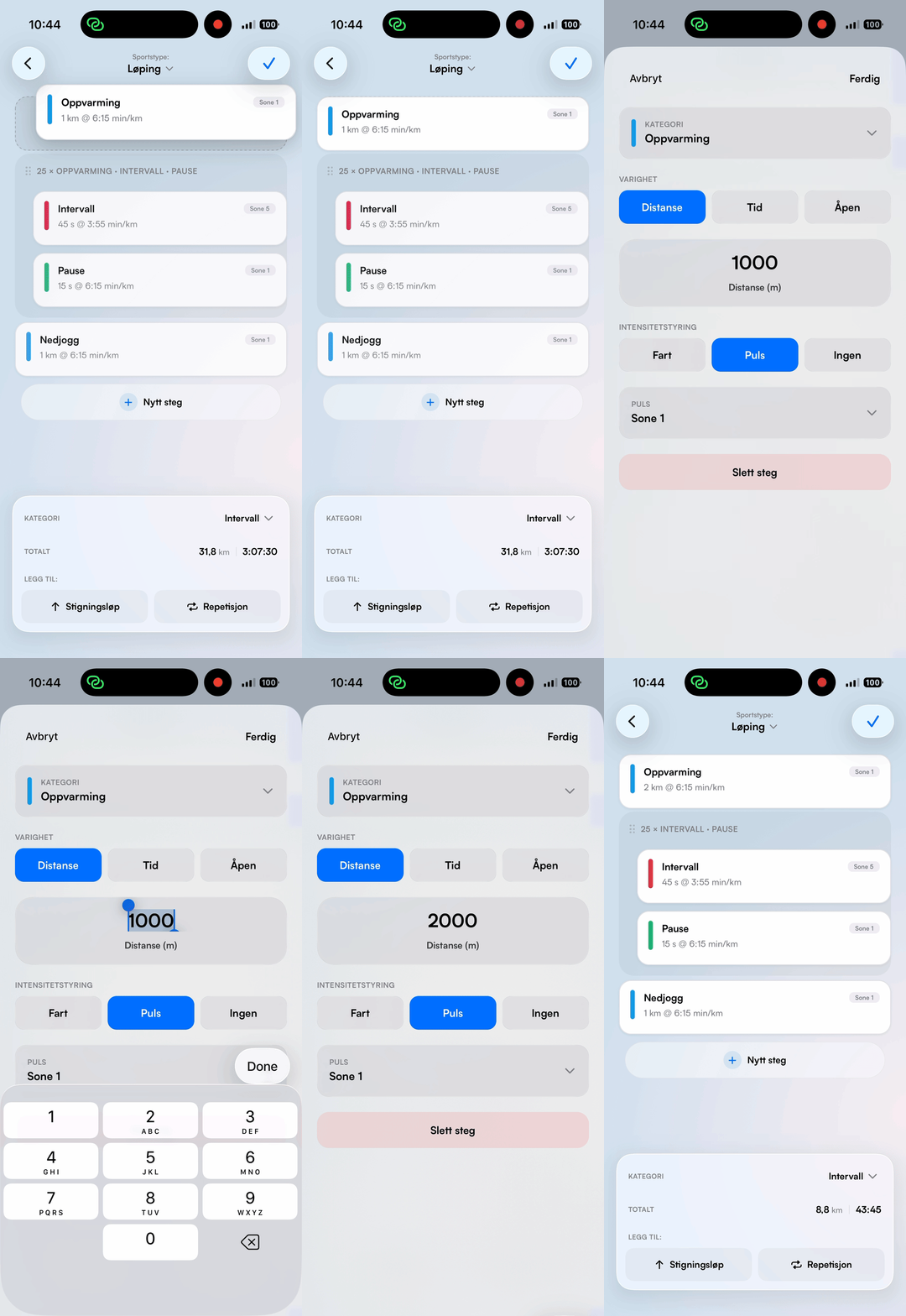
For planned sessions, tap Edit on the detail page and choose Edit content:
Add, change and delete steps — distance, time, pace, heart rate or open step
Drag and drop to reorder — entire repeat blocks move together
Add repeat blocks and stride templates with one tap
Choose sport type
Choose between Running, Strength and Alternative training. Running gives you the full lap editor.

Update your app
Version 1.5 is ready. Update PacePilot to get access to everything new for planning and editing your training sessions.
The update is available now on the App Store and Google Play.